


5 Hidden Reasons WordPress Template Hierarchy Quietly Breaks Today
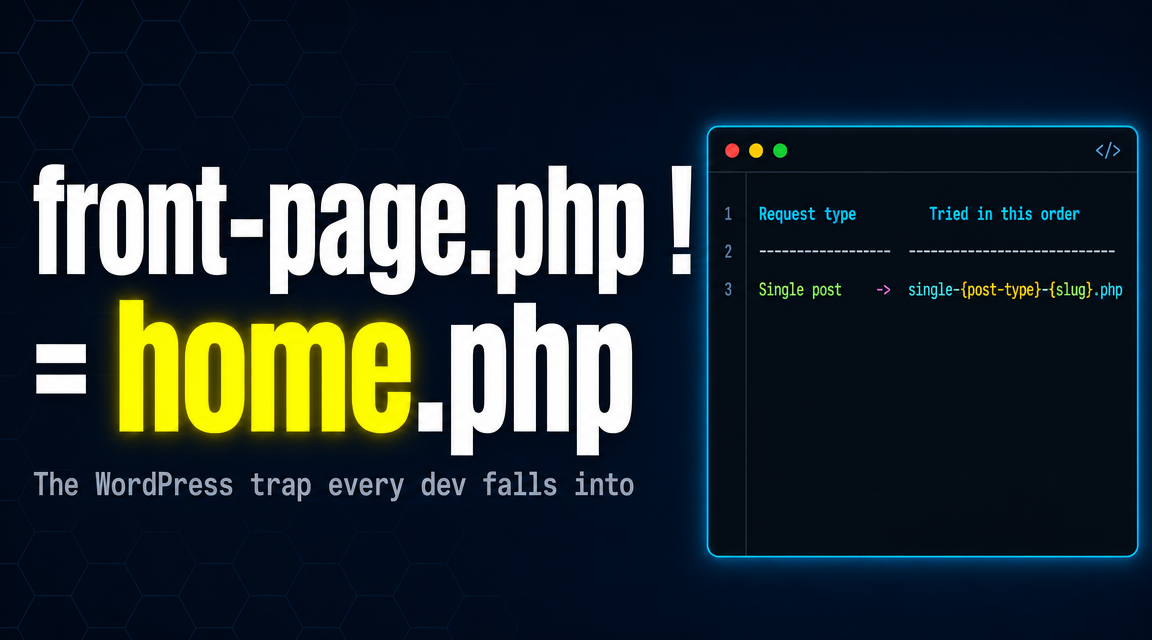
Table of Contents
You build a WordPress theme. You visit a page. PHP file X loads. Why X and not Y? You set a static front page in Settings and the wrong file renders. You create page-about.php and WordPress ignores it. You write a custom template that never gets picked. None of this is random. The WordPress template hierarchy is a deterministic algorithm that runs on every single request, and it follows rules nobody bothered to make obvious.
The hierarchy is a strict specificity cascade. Most specific file first, least specific file last, with index.php as the universal floor. Once you see the cascade, every “why is the wrong template loading?” bug stops being mysterious. This post walks through the five hidden reasons the WordPress template hierarchy keeps tripping up theme developers, the front-page.php versus home.php confusion that breaks half the themes on the web, and the one-line debug snippet that tells you exactly which file just rendered.
What WordPress Template Hierarchy Actually Does
Every WordPress request follows the same three steps. The router parses the URL into a query, the query identifies the request type, and WordPress walks a fixed cascade of candidate filenames in the active theme’s directory. The first file that exists wins. That file is included with include(), it renders, the response goes back to the browser.
There is no plugin magic in that selection. The cascade is hard-coded into WordPress core, in a function called get_query_template(). Plugins can hook the template_include filter at the very end to override the choice, but the cascade itself is fixed and predictable.
Every theme has an index.php. Themes that lack it are rejected by WordPress. That single file is the safety net at the bottom of every cascade. If no more-specific template exists, index.php renders the response. Always.
Reason 1: The WordPress Template Hierarchy Is a Deterministic Cascade
When WordPress decides which file to load for a single blog post, it does not pick at random. It walks a list of candidate filenames in order, from most specific to least specific:
// Single-post cascade (top is most specific)
single-post-{slug}.php
single-post.php
single.php
singular.php
index.php   // the safety net — always wins if nothing else exists
For a post with slug my-typeof-null-story, WordPress checks for single-post-my-typeof-null-story.php first. If you have it, it renders. Otherwise the cascade falls through to single-post.php, then single.php, then singular.php, then finally index.php.
Every other request type has its own cascade. Pages walk a different list. Categories, tags, authors, and dates each walk their own. The pattern is identical: most specific first, index.php at the bottom.
Reason 2: How WordPress Picks single.php Over page.php
The reason WordPress loads single.php for a blog post and page.php for a static page is that the request type is decided before the cascade even starts. WordPress’s query parser inspects the URL, asks WP_Query which kind of content this is, and then picks the corresponding cascade.
// Cascade picked based on what the query resolves to
//
// is_singular() && is_single() && post_type === 'post'
//   → single-post-{slug}.php → single.php → singular.php → index.php
//
// is_singular() && is_page()
//   → page-{slug}.php → page-{id}.php → page.php → singular.php → index.php
//
// is_archive() && is_category()
//   → category-{slug}.php → category-{id}.php → category.php → archive.php → index.php
Posts and pages share the singular.php fallback because both are single content items. But the path above singular.php diverges — posts go through single.php, pages go through page.php. If your theme only has singular.php and neither of the more-specific files, every single piece of content uses the same template. That is sometimes intentional and often a bug.
You can read the full hierarchy diagram in the official WordPress template hierarchy documentation. Bookmark the visual flowchart at the bottom of that page — it is the single most useful diagram in WordPress theme development.
Reason 3: front-page.php vs home.php — The Confusion Solved
This is the file pair that breaks more themes than any other corner of the WordPress template hierarchy. The rule is short and almost nobody remembers it correctly:
front-page.php is always the homepage. Always. Regardless of what is set in Settings → Reading.
home.php is always the blog posts page. If your front page is set to a static page, home.php renders the page that displays the latest blog posts elsewhere on the site. If your front page is set to the latest posts, home.php renders the homepage.
// Settings → Reading is set to: "Your latest posts"
// Front page request walks this cascade:
front-page.php   // wins if it exists
home.php         // wins if front-page.php is missing
index.php        // safety net

// Settings → Reading is set to: "A static page" → Page: About
// Front page request walks this cascade:
front-page.php   // STILL wins if it exists (even though About is set!)
page-about.php
page-{id}.php
page.php
singular.php
index.php
Notice the trap: if you add front-page.php to your theme and the user sets Settings → Reading to “A static page,” your front-page.php still wins. The page they picked in Settings becomes irrelevant for the front-page render. This is the WordPress template hierarchy rule that breaks more theme demos than any other.
The mental model: front-page.php is about the URL slot (the root URL of the site). home.php is about the content type (the blog posts archive). They are two different things, and WordPress treats them as two different things.
Reason 4: Custom Page Templates Hijack the Cascade
The page cascade has one more wrinkle. WordPress lets a content editor assign a custom template to any individual page from inside the editor. When they do, that template wins over everything else in the cascade.
A custom page template is just a PHP file in the theme directory with a special comment header:
<?php
/**
 * Template Name: Landing Page
 */
?>

<!-- the rest of the template HTML -->
WordPress scans every PHP file in the theme directory for that Template Name header. Any file with one appears in the editor’s Template dropdown. When a page has that template assigned, the cascade for that single page becomes:
// Page request with a custom template assigned
{custom-template-file}.php   // wins, full stop
page-{slug}.php              // ← never checked
page-{id}.php                // ← never checked
page.php                     // ← never checked
singular.php                 // ← never checked
index.php                    // ← never checked
This is the only way the WordPress template hierarchy lets a non-developer override the cascade through the admin UI. It is also why “why won’t my page-about.php load?” sometimes has the answer “because the editor assigned a custom template that is winning instead.”
Reason 5: How to See Which Template Just Loaded
Once you know the cascade exists, the next question is: which file did WordPress actually pick for this request? You don’t have to guess. WordPress fires a filter called template_include at the very end of the selection process, after the cascade has resolved. Hook it and log the path:
// Drop this in your theme's functions.php temporarily
add_filter('template_include', function($template) {
    error_log('WP template loaded: ' . $template);
    return $template;
});
Every page request will now write the absolute path of the rendered template to your PHP error log. You see at a glance whether WordPress chose single.php or fell all the way through to index.php. You see whether your custom page-about.php actually fired or got beaten by a Template Name assignment.
For deeper inspection, the get_query_template() core function reference shows the source code that builds each cascade. Read it once and the entire WordPress template hierarchy stops being mysterious. The whole thing is roughly eighty lines of PHP, and it has barely changed since 2010.
Once you internalise the cascade, every template-selection bug becomes a fifteen-second debug session. The hierarchy is not magic. It is a tree of filenames, walked in a fixed order, with index.php as the floor.
Watch the Full Breakdown
The complete cascade walk-through, the front-page.php versus home.php reveal demonstrated live, the custom-template scan, and the debug-filter setup all run in about three minutes in the companion video below.
For more deep dives into WordPress internals, theme development, and the engineering choices that shape modern PHP-driven websites, browse the rest of the Web Development section on this site.